Use key word for new software

Custom Search

Rabu, 03 September 2008

» Review Anti Trojan Elite 3.9

» Review Anti Trojan Elite 3.9Anti Trojan Elite
(February 2008)

Anti Trojan Elite(ATE) is a malware remover, it can detect and clean malware in disk or memory.

Anti Trojan Elite provide a real-time malware firewall for user, once a trojan or keylogger would been loaded, the ATE can detect, block and then clean it in time before it starts.

The ATE can detect more than 22000 trojans, worms and keyloggers currently, and the number of malware ATE could clean is growing up very quickly, they collect world-wide malwares, user can using their auto live update feature to get the power to clean these new malwares in time.

Anti Trojan Elite has some useful utilities especially.

The network utility can been used to disconnect suspicious TCP connections; The process utility can been used to kill suspicious processes even the process has the system private, even it has the ability to unload suspicious modules in all processes; The registry repair utility can been used to repair registry altered by malware; The registry monitor utility can been used to repair any change of important registry keys and values with real time.

FEATURES

File and memory scan. Easily scanning and killing no process trojan.

System monitor. When a trojan will run, Anti Trojan Elite should stop it at once.

Network Manager. View the tcp/udp states, and the process belonged to. Disconnect tcp and stop the opposite process.

Process manager :View the process and its modules information. You can stop any process and unload its any dll module.

Backup module: Backup trojan files before killing.

Live Update: Update online.

Support Compressed files (RAR ZIP CAB).


Free Download Now

Size: 5.8 MB

Download Anti Trojan Elite 3.43

» Review ESET NOD32 Antivirus 2.70.39 Final

» Review ESET NOD32 Antivirus 2.70.39 FinalNOD32 Antivirus
(November 2007)


Keep your important information safe & stay productive with peace of mind. NOD32 offers fast, comprehensive protection against a wide range of malware threats – without the burden of a bloated internet security suite. So easy to use: just set it and forget it .

Comprehensive Protection
Running separate applications for viruses, hackers, adware, and spyware can slow your PC, be difficult to manage, and provide questionable protection. Beware of large, bloated internet security suites that consume hundreds of megabytes on your PC. These typically exist because vendors have acquired products and 'bundled' them together. In contrast, ESET NOD32 was designed from the core as a single, highly-optimized engine that works as a unified Anti-Threat system to protect against a broad spectrum of malware. Viruses, worms, spyware, and other malicious attacks, which are constantly evolving. ESET NOD32 utilizes patent-pending ThreatSense® Technology to detect tomorrow's threats in real-time, by analyzing code execution for malicious intent - keeping you ahead of the malware-writers.

Minimal Performance Impact

NOD32 conserves resources in memory and on disk, leaving more for your critical applications. The installer is just 11 MB and the application consumes an average 23 MB in memory (this fluctuates with changes to the detection technology). ThreatSense updates, which includes heuristics logic and signatures, are usually between 20 kB and 50 kB. Switch to NOD32 and be more productive.


Fastest Scanning

Great protection doesn't have to slow down your computer. Written largely in assembly language, NOD32 continually wins awards for the fastest performance of any antivirus application, on average 3 to 34 times faster than the competition (source: Virus Bulletin). Switch to NOD32 and upgrade your computer's performance.


Easy to Manage

Program and database updates are automatically performed behind the scenes. If you're an individual or home office user you can just 'set it and forget it.' Businesses and organizations with large distributed networks can use the powerful Remote Administrator to centrally deploy, install, monitor and manage thousands of NOD32 workstations and servers. Get the best protection with the smallest footprint and fastest performance. NOD32 offers multiple layers of protection for your organization, at the desktop, file server and mail gateway. Find out which solution is best for you.


Proactive Real-Time Detection

The best security is proactive. Malware protection must be real-time at the point of impact. Every minute one waits for a virus signature update creates a window of vulnerability that could have devastating consequences. ESET NOD32's ThreatSense® Technology closes the window of vulnerability left open by other reactive , signature-based responses.

NOD32 analyzes application execution in real-time for malicious intent to detect and block over 90% of new malware threats proactively, without the need for signature updates in most cases. Most other vendors release signatures hours after their customers have been victimized and submitted samples.

Protection against threats from multiple input vectors is provided by the following modules:

Antivirus MONitor (AMON)

An on-access (memory-resident) scanner, which automatically scans files before they're accessed.

NOD32
An on-demand scanner, which can be run manually on specific files or disk segments. It can also be scheduled to run during off-peak times.

Internet MONitor (IMON)

A memory-resident scanner that runs on the Winsock level to prevent infected files from reaching the computer's disks. Its scans internet web browsing traffic (HTTP) and incoming e-mail via the POP3 protocol.

E-mail MONitor (EMON)

An auxiliary module for scanning incoming/outgoing e-mails via the MAPI interface, such as Microsoft Outlook Microsoft Exchange.

Document MONitor (DMON)

Utilizes the proprietary Microsoft API for scanning Microsoft Office documents (including Internet Explorer).

Compare Antivirus Software

The results of Industry tests and data analysis provide a compelling story and compare antivirus software below. NOD32 is the best antivirus software and clearly ranks better in detection, size and speed as compared to ESET's top competitors.


Best Virus Protection & Detection of Known and Evolving Threats

* Approximately 80% of threats are proactively detected using ThreatSense® heuristics. For example, all variants of MyDoom, Netsky, Bagle and Mytob were detected heuristically - before most other vendors even had a signature.

* NOD32 received the highest awards (ADVANCED+) in retrospective testing, due to its high proactive on-demand detection rate and low rate of false positives. NOD32 includes one of the fastest scanners in the industry, earning the status of Overall antivirus product winner of 2006 (source: http://www.av-comparatives.org/)

* In-the-Wild Virus Detection - ESET is the record holder of 44 VB100 awards collected over the last 9 years. These tests validate the products ability to detect known malware. (source: http://www.virusbtn.com/ )
Best Virus Protection & Detection

The Best Anti Virus Software Fights In-the-Wild Viruses

* NOD32 has missed fewer "in-the-wild" viruses than any other vendor in VirusBulletin testing, as depicted below.
Best Anti Virus Software Fights

The Fastest Performance of Antivirus Software

With NOD32, it’s not necessary to sacrifice sped for detection. Scanning and update processes happen behind the scene without a perceptible decrease in performance.

* 40MB/sec scanning rate under Windows® XP Professional, 64-bit, Edition (source: Virus Bulletin, Dec. 2006)

* Three-times faster than Symantec and Kaspersky, four-times faster than McAfee under Microsoft® Windows Vista Business Edition (32-bit) (source: Virus Bulletin, Feb. 2007)

* On-access Scanning performance impact of 4%. (source: Cannon/ESET testing, Aug. 2006)
The Fastest Performance of Antivirus Software

Lowest Resource Utilization

Compare antivirus software and you'll discover that NOD32 is by far one of the smallest applications in the industry, especially for providing protection against a wide range of threats. For example, the v2.7 of NOD32 installer is just 11 MB. The program utilizes approximately 15 to 22 MB of RAM.
Lowest Resource Utilization
Free Download Now

Size: 11.2 MB

Download NOD32 Antivirus System Administrator Final

Choose Language and Version From Eset Download Center

» Review Steganos Security Suite

» Review Steganos Security Suite 2006 8.0.5 Steganos Security Suite 2006
(October 2006)


Steganos Security Suite 2006

Premium Security To Ensure Your Privacy .

Includes Marker-Leading Ecryption , AntiSpyware and AntiTheft Protection .

If your PC needs to be repaired or sold and you want to clear the hard disk first. If you use a USB stick or CDs for data transport – your privacy is at stake. You are leaving traces – on the Internet and offline: The acquisitiveness of today's programs...

Steganos Security Suite 2006 Features :

Steganos AntiSpyware

Detects and destroys about 100,000 pest programs like Adware and Spyware. This means you are protected against identity theft.

Safe – your secure drive
Encrypt an unlimited amount of data. Open your safe with a USB stick or mobile phone.

Portable Safe RW
Simply take your encrypted data with you: On CD and DVD or even rewriteable on USB sticks. Usable anywhere without additional software – all you need is a password.

256 Bit AES in real time
Uncracked. Unrivalled. The world's most progressive encryption algorithim protects your data. So fast that you don't even notice it.

AntiTheft protection
In case your computer gets stolen, Steganos AntiTheft can provide information that can help you to restore it.

Internet Trace Destructor and Shredder

Destroys more than 200 traces of your surfing and working activities, history data (including Firefox), AIM and other messengers, Google toolbar and desktop searches, T-Online, recently used files, music lists of Media Player, search requests in exchanges and more. With Shredder for permanent deletion of files.

Private favorites
Your favorite Web sites remain private. The list of favorites is password-protected.

Password Manager
Encrypts all of your passwords - and enters them automatically if you like.

Steganography

Hide your sensitive data in images and music.

E-mail encryption
Creates highly secure self-decrypting e-mails.


Free Download NowDownload Steganos Security Suite 2006 8.0.5

» Review Trojan Remover v6.6.1

» Review Trojan Remover v6.6.1 Trojan Remover v6.4.9
(September 2007)

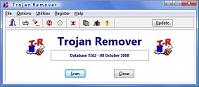
Trojan Remover
Trojan Remover was written to aid in the removal of Trojan Horses and Internet Worms when standard anti-virus software has either failed to detect the problem or is unable to effectively eliminate it.

Trojan Remover has been written for Windows 98/Millennium/XP/Server 2003. It has been successfully used by Windows 2000 users, although this platform has not been officially tested.


The majority of Virus and Trojan Scanners are well able to detect malicious Trojan Horses and Internet Worms but are not always very efficient in removing them once they have been triggered.

Trojan Remover was written specifically to carry out such a removal without the user having to manually edit system files, including the Registry. The program also removes the additional system modifications some Trojans carry out which are ignored by other Virus and Trojan Scanners.

Trojan Remover will also routinely check for any loading Windows Services which have been hidden from normal scrutiny using Rootkit techniques.

What Trojan Remover Will Do ?

Trojan Remover will examine all the system files, including the Windows Registry and determine the programs and files that are loaded at boot time. The majority of Trojan Horses (once triggered) are loaded this way.

Trojan Remover will scan ALL the files loaded at boot time for

Remote Access Trojans ('backdoors', like NetBus, SubSeven, Optix Pro, Back Orifice etc.), Internet Worms and other malware. It will also check to see if there are any loading Windows Services which have been hidden using Rootkit techniques and warn if it finds any.
For each identified Trojan Horse, Worm, or other malware, Trojan Remover will pop up an alert screen showing the file location and name; it will offer to remove the program's reference from the system files and allow you to rename the file to stop its activation.
Trojan Remover
Most modern Trojans make themselves memory-resident, making their de-activation more difficult. How many times have you been told to start your computer in 'Safe' mode, or even worse, in DOS?

Trojan Remover will do all this for you. When a Trojan is found that is memory-resident, Trojan Remover will (on request) reboot your system and completely DISABLE the Trojan before Windows restarts. It also protects the system files whilst doing so by making them read-only.

Trojan Remover writes to a detailed logfile each time a Scan is performed. This file contains information on which programs are loaded at boot-time, and what (if any) actions Trojan Remover carried out. This logfile can be printed out for future reference.
The program incorporates the ability to automatically scan for Trojans every time you start your computer.
You can scan individual files and directories from within Windows Explorer.

Trojan Remover incorporates an integral Updater allowing for quick and easy Database updates.

» Review PC Tools Antivirus 3.6

» Review PC Tools Antivirus 3.6 PC Tools Antivirus
(October 2007)

PC Tools AntiVirus provides world-leading protection against viruses, worms and Trojans with rapid updates and OnGuard™ technology.

With PC Tools AntiVirus you are protected against the most nefarious cyber-threats attempting to gain access to your PC and personal information. Going online without protection against the latest fast-spreading virus and worms, such as Netsky, Mytob and MyDoom, can result in infections within minutes.

Once infected, the virus will usually attempt to spread itself to your friends, family and associates by accessing your email contacts and networked PCs. The infection may also allow hackers to access files on your PC, use it to launch attacks against other computers and websites or to send mass SPAM email.

That’s why PC Tools AntiVirus provides world-leading protection, with rapid database updates, OnGuard™ real-time protection and comprehensive system scanning to ensure your system remains safe and virus free.

PC Tools products are trusted and used by millions of people everyday to protect their home and business computers against online threats.

PC Tools AntiVirus feature highlights


Protects your PC as you are working, surfing and playing

Detects, quarantines, disinfects and destroys over 115,000 virus traces

OnGuard™ protects your computer against threats in real-time

Automatically checks for frequent updates against the latest threa

» Review Avast 4 Professional Edition 4.7.9 Avast 4 Pro

» Review Avast 4 Professional Edition 4.7.9 Avast 4 Pro
(November 2007)

avast! 4 Professional Edition is a collection of award winning, high-end technologies that work in perfect synergy, having one common goal: to protect your system and valuable data against computer viruses. It represents a best-in-class solution for any Windows-based workstation. This page demonstrates its most important features and provides links to further resources.

Features overview
Antivirus kernel
Automatic updates
Simple User Interface
PUSH updates
Enhanced User Interface
Virus Chest
Resident protection
System integration
Script blocker
Command-line scanner
P2P and IM Shields
Integrated Virus Cleaner
Network Shield
Support for 64-bit Windows
Web Shield
Internationalization

Antivirus kernel
The latest version of avast! antivirus kernel features outstanding detection abilities, together with high performance. You can expect 100% detection of In-the-Wild viruses (viruses already spreading between users) and excellent detection of Trojan horses.

The kernel is certified by ICSA Labs; it frequently takes part in the tests of Virus Bulletin magazine, often yielding the VB100 award.

The avast! engine also features outstanding unpacking support. It can scan inside the following archives: ARJ, ZIP, MIME (+ all associated formats), MAPI (Outlook pst files), DBX (Outlook Express archives), RAR, TAR, GZIP, CAB, BZIP2, ZOO, ACE, ARC, LHA/LHX, TNEF (winmail.dat), CPIO, CHM, RPM, ISO, 7ZIP and SIS. It also supports a number of executable packers (such as PKLite, Diet, UPX, ASPack, PeShield, FSG, MEW etc.).

Last, but not least, it can also scan for viruses hidden in Alternate data streams on NTFS volumes.

Simple User Interface
The Simple User Interface is used to start on-demand scanning, work with the results and change various options. Basic resident protection settings can be modified here.

The Simple User Interface is the main application of avast! 4 Home Edition. You can start additional avast! modules from here, such as the Virus Chest, Updater or Log Viewer.

The appearance of the Simple User Interface is very flexible. It supports so-called skins (changeable appearance of the application), so you can change the interface to suit you. The main package contains three skins, with additional skins available from our web pages.

Enhanced User Interface (Professional Edition only)
In addition to the Simple User Interface, the Professional Edition presents the Enhanced User Interface, giving you access to all features and possibilities for extensive scanning control.

Unlike the Simple User Interface, the scanning is performed by so-called "tasks". First, you define a task, including various parameters - areas to scan, what to scan, how to scan, etc. Having the task, you can run it (possibly repeatedly). Each task generates a list of results, which you can work with later.

Another key feature, closely connected with tasks, is the Scheduler. This feature gives you the ability to schedule the tasks running, either one-time or periodically.

Additionally, it is possible to set all existing scanning options, a feature not available in the Simple User Interface.

Resident protection
Resident protection (the real-time protection of the computer system), is one of the most important features of an antivirus program today. avast! features a powerful resident module that is able to detect a virus before it has any chance to infect your computer.

avast! Professional Edition contains resident protection of the computer file system and a resident module for e-mails and news.


File system protection ensures that no virus will be started on the computer. It offers a wide range of settings, such as the possibility to specify that files will be scanned during copying, or scanning will include files with a given set of extensions only.

E-mail/News protection consists of two independent modules; first, there is a generic scanner working on the SMTP/POP3/IMAP4/NNTP protocol level. It is capable of protecting any existing e-mail client that uses these protocols. Second, there is a special plugin for MS Outlook only; with mail scanning completely transparent, requiring no special settings.

A new feature of version 4 is heuristic analysis of e-mail scanners. This feature can protect against new, unknown viruses and worms that are not possible to detect by the usual means. The heuristic module performs a thorough investigation of every e-mail message and watches for suspicious signs that might announce virus presence. When the number of those signs exceeds the user-defined level, the message is considered dangerous and the user is warned.

Script Blocker (Professional Edition only)
The resident protection of the Professional Edition includes an additional module, not contained in the Home Edition, called Script Blocker. This module watches all scripts being executed in the operating system (so-called WSH scripts - Windows Scripting Host), and scans all the scripts run as a part of a web page within your web browser (Internet Explorer, Netscape Navigator and Mozilla).

P2P and IM Shields
Avast features a module for the protection of IM (Instant Messaging, "chat") programs, and a module for the protection of P2P (peer-to-peer) programs. The list of supported IM and P2P programs is extensive, with more than 30 programs currently supported.

While chat itself would not pose any serious security risks in terms of viruses, today's IM applications are far from being just chatting tools: most support more or less sophisticated file sharing methods - which may quite easily lead to virus infections, if not properly monitored.

The P2P protection module doesn't need much explanation - today's P2P networks (such as Kazaa) contain potentially thousands of infected files, and effective protection is essential.

Network Shield
A new resident protection module was added to avast! 4.5: the Network Shield. This module provides protection against known Internet worms/attacks. It analyzes all network traffic and scans for malicious content. It can be viewed as a lightweight firewall (or, more precisely, an IDS (Intrusion Detection System)).

The Network Shield is only available on NT-based systems (Windows NT/2000/XP/2003/Vista).

Web Shield
Web Shield is a unique feature of avast! that enables it to monitor and filter all HTTP traffic coming from Web sites on the Internet. Since an increasing number of viruses (and other malware, such as adware, spyware and dialers) are being distributed via the World Wide Web, the need for effective countermeasures has also increased. Web Shield acts as a transparent HTTP proxy and is compatible with all major web browsers, including Microsoft Internet Explorer, FireFox, Mozilla and Opera.

Unlike most competitive solutions, Web Shield's impact on browsing speed is almost negligible. This is because of a unique feature called "Intelligent Stream Scan" that lets the Web Shield module scan objects on-the-fly, without the need of caching. Stream scanning is performed in operating memory only (without the necessity to flush the contents to disk), providing maximum possible throughput.

Automatic updates
Automatic updates are another key need in virus protection. Both the virus database and the program itself can be updated automatically. The updates are incremental, with only new or missing data downloaded: thus reducing the transfer heavily. The typical size of a virus database updates are tens of KB; program updates typically are in the hundreds of KB range.

If your Internet connection is persistent (such as an always-on broadband connection), then updates are performed completely automatically at fixed time intervals. If you connect to the Internet only occasionally, avast! watches your connection and tries to perform the update when you are online.

PUSH updates (Professional Edition only)
A special feature of the Professional Edition is PUSH updates. It is a dramatic change in the philosophy of updates. Usually, every installed program checks occasionally for new version availability. PUSH updates, however, are initialized by our server; they result in your computer quickly responding and performing the necessary update. The system is based on the SMTP protocol (as used for e-mail messages). The update itself is controlled by the avast! resident e-mail providers (MS Outlook and Internet Mail).

The whole system is protected by asymmetric ciphers and is resistant to unauthorized misuse.

Virus Chest
The Virus Chest can be thought of as a folder on your disk drive, having special properties that make it a safe, isolated place suitable for storing certain files. You can work with the files in the Chest, though with some security restrictions.

The main properties of the Virus Chest are complete isolation from the rest of the operating system. No outside process, such as a virus, may access the files inside, and the fact that the files inside the Chest may not be run (executable), there is no danger in storing viruses there.

System integration
avast! antivirus features outstanding integration into your system. A scan can be started directly from Windows Explorer, by clicking a folder or a file with your right mouse button and selecting the corresponding choice from the menu.

A special screen-saver is also provided, that, when running, performs virus scanning. avast! antivirus works together with your favorite screen-saver, so you don't have to change your personal settings to use it.

A new option in this release is the boot-time scan (Windows NT/2000/XP/2003/Vista only). This important feature allows a user to instigate scanning before a virus is activated, in the case that a virus is suspected to be active on your computer already.

Command-line scanner (Professional Edition only)
For experienced users, the Professional Edition features a command-line scanner. Scanning can be controlled by many arguments and switches; to use as a pipe filter; and a special STDIN/STDOUT mode is available.

The module is intended to be used in BATCH programs. Its output is the same as the output from the Enhanced User Interface tasks (including the report files).

Integrated avast! Virus Cleaner
Since version 4.1, avast! includes Virus Cleaner, a tool designed for the complete removal of most common infections from already-infected computers. So now avast! is capable of reliably healing, and not just detecting, the most common malware.

The number of viruses/worms supported by the Virus Cleaner is constantly growing. For the most up-to-date information we suggest visiting Virus Cleaner's own page. Note: For emergency purposes, we also offer Virus Cleaner as a standalone product, capable of running without installing avast!.

Support for 64-bit Windows
avast! Home/Professional now fully supports the 64-bit Windows platform. ALWIL Software is anticipating massive growth of this platform, as Windows XP 64-Bit Edition will support up to 32 GB of RAM and 16 TB of virtual memory, enabling applications to run faster when working with large data sets. Applications can preload substantially more data into virtual memory, allowing rapid access by the 64-bit extensions of the processor. This reduces the time for loading data into virtual memory or seeking, reading, and writing to data storage devices, making applications run faster and more efficiently.

Regular (32-bit) antivirus applications are unable to operate correctly on the 64-bit Windows platform, because they rely on 32-bit kernel-mode drivers. The latest version of avast! uses native 64-bit drivers, delivering the same level of protection as the 32-bit Windows environments. The installation package is the same for 32-bit and 64-bit versions - the setup program automatically detects the operating system it is running on and installs all necessary files. You may find more information on avast! Antivirus and Windows x64 Edition page.

Internationalization
Commitment to internationalization is one of the key benefits of avast!. During the last 2 years, avast! has been translated to a number of languages, currently the list of supported languages is: English, Arabic, Bulgarian, Catalan, Chinese (both Simplified and Traditional), Czech, Danish, Dutch, Finnish, French, German, Greek, Hungarian, Italian, Japanese, Korean, Malay, Norwegian, Polish, Portuguese (both Brazilian and Portugal), Romanian, Russian, Serbian, Slovak, Slovenian, Spanish, Swedish, Turkish.

» Review Shadow Professional v2.6.3.2

» Review Shadow Professional v2.6.3.2
(August 2007)

Shadow Professional  privacy protection software

Shadow Professional

The most reliable privacy protection software on today's market

Shadow Professional is a complete suite of tools to keep web activity, files and documents strictly private. Press start and surf web without any evidence. Make your secret bookmarks hidden, shred files, use disk wiper and have hidden folder for your private documents.

Packed with its Hidden Secret Folders for downloaded files, with Secret Bookmark, with complete Manual Clean Up Editor and with Active Shred Editor - Shadow Professional is premiere, full featured and extremely reliable solution for anyone who wants to take care of their own privacy, whether in home or office.

Shadow Professional Features :

Privacy Mode - your secret web sessions without leaving browsing evidence.
Privacy Mode - support for applications
Password protection from unauthorized use
Panic Keys, Hot Keys and Boss Keys
Scheduler
Stealth Mode
Complete support for Internet Explorer, Internet Explorer 7, Firefox, Netscape, Netscape Browser 8, Opera and AOL latest version
Multi Profile Support for Browsers
Erase Browser Cache
Erase Browser URL History
Erase Browser Typed URLs Addresses
Erase Browser Cookies
Erase Auto complete Forms
Erase index.dat files without restart
Reset Browser Download Folder Memory
Clear Google Toolbar History
Clear Google History
Clear Yahoo History
Reset Opera Tabs
Cookie Manager
Typed URL-s Manager
Profile Manager
Erase Windows Temporary Files (Temp Folder)
Erase Recent Document History
Erase Run History
Erase Search History
Erase Find Computers History
Empty Recycle Bin
Empty Clipboard
Clear Open/Save Dialog History
Clear User Assist Tracks from Registry
Delete MS Office Temporary Files
Erase Outlook Express Deleted Mails
Erase Folder Streams from Registry
Clear Printer Streams
Clear Windows Swap Files
Empty Windows XP Prefect Folder
Clean Last Windows Logon Name
Erase My Network Places History
Erase CHK Files
Clear History Tracks From Various Programs
Plug-in Editor to make your own Plug-ins
More than 240 predefined Applications Plug-ins
File Shredder with Windows Shell integration
Implemented U.S. Department of Defense DoD 5220.22-M and Gutmann secure-erasing methods.
Disk Wiper to shredd unused free space
Home Page Protection
Secret Bookmark Editor
Secret Hidden Folder
Encrypted Folders
Integrated Secret Folder Viewer.
Secret Folder works in Safe Mode and over the Local Network
Active System Tray Integration

» Review DR.WEB for WINDOWS + FREE ANTI SPYWARE

» Review DR.WEB for WINDOWS + FREE ANTI SPYWAREDR.WEB for WINDOWS + FREE ANTI SPYWARE
(December 2006)

Doctor Web for Windows provides reliable and highly efficient protection of your system and data regardless of what type of Microsoft operating system is installed on your computer. The Dr.Web for Windows components allow in a real time mode to detect malicious programs from any external sources.


Dr.Web (Anti-virus + anti-spyware) detects and disinfects
* Mass-mailing worms * E-mail viruses * Peer-to-peer viruses * Internet worms * File viruses * Trojans * Stealth viruses* Polymorphic viruses * Bodiless viruses * Macro viruses * MS Office viruses * Script viruses * Spyware * Spybots * Password stealers * Paid Dialers * Adware * Riskware* Hacktools * Backdoors * Keyloggers* Joke programs * Malicious scripts * Other malware*

Key benefits
Computer resources-friendly - perfect for laptops, ideal for notebooks
Can be installed on the already infected machine and can cure the infected system
Correctly checks on-the-fly incoming\outgoing e-mails via POP3/SMTP/IMAP/NNTP
Protects against spyware/adware/riskware/hacker tools/paid dialers
Very frequent updates of virus databases – up to several times per hour! Doctor Web


Key features
Dr.Web Anti-virus is one of the most resources-friendly anti-virus programs and fully compatible with Microsoft Windows, beginning from Windows 95 OSR2 and to Windows XP Professional. The distribution of Dr.Web is the smallest of all leading anti-viruses – around 9MB, just 12-15 MB of free space is required after installation! Dr.Web saves and never overloads computer resources which makes it indispensable in outdated computers of older generations.


Dr.Web protects computers from any kinds of malicious codes, it is unsurpassed in detection and curing of polymorphic viruses.


Only Dr.Web can be installed on the already infected computer and can cure it without any additional utilities! During the installation the main computer memory and startup files are scanned. During the installation phase, there is an option of updating Dr.Web virus databases with the hottest add-ons to the virus database, which takes just a few seconds.


Only Dr.Web can detect and neutralize viruses existing in main computer memory and never met in form of files, such as Slammer and CodeRed


The Anti-virus’ default settings, deeply thought over by its developers, allow to enjoy comprehensive anti-virus protection from the moment Dr.Web is installed. Various advanced settings for experienced users allow to specify different actions for all types of malicious programs, to select separate files, directories, drives or all hard drives for scanning. If necessary, a user can suspend scanning. The flexibility of settings allows users to adjust the speed of the anti-virus scanning.


SpIDer Guard® resident monitor intercepts all calls to files on diskettes, drives, CD-ROMs, Flash-cards and smart-cards preventing penetrations of malicious codes into computers. SpIDer Guard’s driver is highly resistible to external attempts to block its action, for example to stop its functioning by a specially designed malicious program.
SpIDer Guard is a powerful tool for constant monitoring of virus activity. Flexible settings of SpIDer Guard without reboot allow to customize anti-virus protection according to customer’s needs – taking into account computer’s capacity and potentially dangerous sources of penetrations of ill-intended programs. SpIDer Guard, being designed as a Windows services, enables system administrators to restrict access of users to modification of the guard’s settings, which is important for corporate networks, where company security policies must be strictly observed.


Mail protection – POP3/SMTP/IMAP/NNTP filtering on-the-fly
SpIDerMail® monitor scans incoming and outgoing e-mails on-the-fly before a message is received by the mail client. The function of virus activity control in SpIDer Mail allows to block suspicious actions peculiar to mass mailing worms. Experienced users can manually set up hooks of ports used for processing of mail traffic.


Scheduling updates and scanning
Dr.Web Scheduler allows to flexibly set the frequency of updates and regular scannings of hard drives.


Virus databases updates and program upgrades
The updates are fully automated
The virus databases update is downloaded within a few seconds even in slowest connections
The virus database is updated automatically every time a user connects to the Internet
The size of the update is the smallest of all - up to 15 KB only
Updates to the virus database are released as soon as new entries are added - up to several times per hour
"Hot" add-ons are released as soon as new threat is caught and analyzed
Dr.Web virus database is the most compact of all, which allows users to scan files quicker, spares users’ time and computers’ resources, provides for instantaneous updates. Just one entry in it detects tens, or hundreds and even thousands of similar viruses
The Dr.Web global monitoring network collects samples of new viruses from all regions of the world


Protection against adware
Dr.Web Anti-virus protects your computer against various types of advertising software often downloaded together with free software or shareware programs.


Protection against spyware
Dr.Web Anti-virus stops spying programs designed for collection of users’ confidential information. These programs, such as spy bots, key-loggers, Java-applets (online gamers are at special risk!) are designed to spy on a system and send collected information to a third party – the persons who either created or ordered to create the program, among which are spammers, marketing agencies, scamming agencies, criminal groups and industrial espionage groups.


Protection against paid dialers
Dr.Web Anti-virus blocks paid dialers – specially designed computer programs used by criminal groups for connection of victim computers to expensive telephone services.